

Shared Code Libraries... Why They Can Be Frustrating😤 (and How I Think We Can Do Better)
The benefits and challenges of using shared code libraries, offering insights on how to balance consistency with flexibility to make them more effective for development teams.
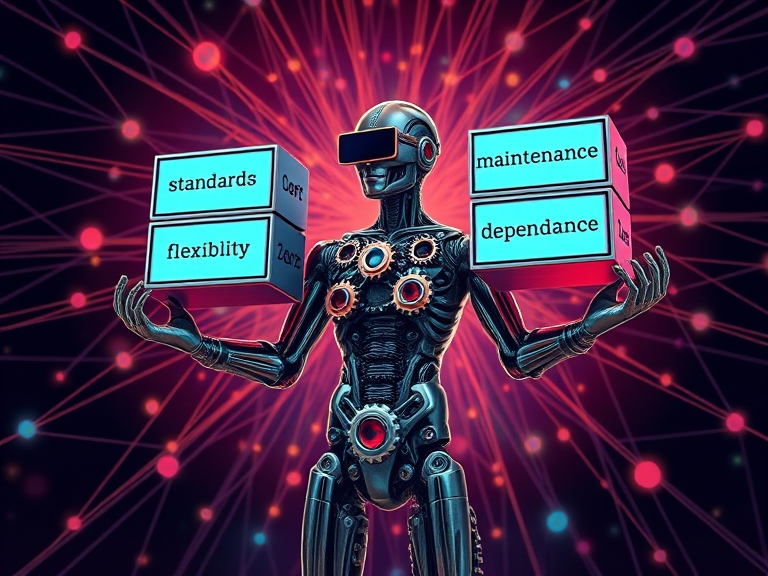
Let’s dive into shared code libraries😨 Those powerful internal packages, like custom NuGet packages, that bring our projects together and keep everything aligned across the organization. In theory, they’re fantastic! They save us from duplicating code, uphold our standards, and speed up development like a charm. But in reality? Well, they can sometimes bring unexpected challenges to the mix.
From my experience, these shared libraries often create as many problems as they solve. Don’t get me wrong—I’m a big believer in their potential. But I’ve also seen (and felt) the frustrations that come with them, and I think there are smarter ways to manage the challenges they bring. Here’s my take on what makes shared libraries tricky and how we might be able to make them work better for everyone.
Standardization Is Great—Until It’s Not
I totally get why shared libraries need to be standardized. It keeps everything consistent across projects, and in a big organization, that’s essential. But here’s the problem: that standardization can become way too rigid. I’ve seen it first-hand way of often. One project makes a change in one of the shared library can totally mess things up for ever other project. So, you’re stuck waiting, workarounds start piling up, and you’re probably wondering why you’re using the library in the first place.
Here’s what I think: we need more flexible versioning. If we can keep multiple versions around (with backward compatibility), teams can pick the version that works best for them without worrying about breaking anyone else’s code. Yes, it takes a bit more communication, but it’s worth it if it lets us move faster without headaches.
Maintenance Nightmares (a.k.a. “Who Owns This Thing?”)
Another big issue I see with shared libraries is maintenance or rather the lack there of. When a library first gets created, it’s usually pretty simple, solving one specific problem. But as more teams start using it, it morphs into this massive, critical part of our infrastructure, and now everyone’s afraid to touch it because one wrong move could break something.
Here’s my two cents: designate an actual team to own and maintain these libraries. If no one’s officially responsible, maintenance just doesn’t happen, and that library gets stale. We can even make it collaborative—encourage teams who use it to contribute fixes and improvements, but keep a core team managing the whole thing to ensure it stays stable. This way, we don’t have to deal with outdated libraries slowing everyone down.
The Dreaded “Dependency Hell”
If you’ve ever tried using multiple shared libraries in a single project, you know the nightmare of conflicting dependencies. One library needs Version X of a dependency, another needs Version Y, and you’re left trying to untangle the mess. It’s frustrating, time-consuming, and way too common in shared library setups.
In my opinion, we need a more modular approach. Tools like dependency injection (DI) frameworks or even containerization strategies could help us isolate dependencies and give teams the freedom to choose versions that work for them. And building shared libraries with dependency inversion principles—that’s another game-changer. This way, each project can pick and choose compatible versions, keeping conflicts to a minimum.
Documentation (Or Lack Thereof) Makes or Breaks Us
I can’t stress enough how important good documentation is, especially for shared libraries. Without it, everyone’s flying blind, either struggling to figure out how to use the library or just avoiding it altogether. And that’s if they even know what it’s capable of in the first place.
Honestly, I think every organization should treat documentation for shared libraries like a core part of the product. Not just instructions, but examples, best practices, and clear guidelines on what’s inside and how to use it. And let’s make it a team effort—get everyone contributing their insights and experiences. It keeps the documentation fresh, helps new developers, and ensures everyone’s using the library the right way.
Balancing Generalization vs. Specialization: The Feature Bloat Dilemma
One thing I’ve noticed is that shared libraries tend to get overloaded with features. They start out focused and practical, but before you know it, they’re trying to cover every possible use case—and end up being a pain to use because they’re too big and complicated.
I think the solution here is to create smaller, more focused libraries. Instead of one massive utility library, why not have a suite of mini-libraries that each do one thing really well? Logging, data handling, API calls—each in its own package. That way, teams can pick what they need without the extra bloat, and everything stays lightweight and manageable.
Testing and Quality Assurance: The Often-Overlooked Essential
Let’s be real: testing shared libraries is tough, especially because they need to work in so many different contexts. But without proper testing, you end up with bugs creeping into every project that relies on the library. And once that happens, everyone’s scrambling to track down the issue.
For me, automated testing is the way to go. Unit tests, integration tests, and regression tests should be a regular part of development for shared libraries. And the results should be available for all teams to see. It takes some extra effort, but it’s so worth it to catch issues early and avoid the domino effect of bugs impacting multiple projects.
Governance and Change Management: Let’s Avoid Surprise Breaks
One of my biggest frustrations with shared libraries is how often teams get blindsided by unexpected updates. You log in one morning, only to find something’s broken because of a change you didn’t know about. It’s disruptive, and it often results in quick (and usually messy) fixes to keep everything running.
I think we need clear change management processes for shared libraries. Teams should be able to request updates, and any changes should be clearly communicated well in advance. Having a governance board or steering group can also help ensure updates happen in a way that doesn’t catch teams off guard.
Rolling Your Own: When It Just Makes More Sense
Here’s a wild card option: sometimes, it’s easier to just roll your own version of the code instead of dealing with the limitations of the shared library. Yes, I said it! Building a custom version of a feature can give you the control you need, let you add exactly the functionality you want, and sidestep compatibility issues entirely. And often, it doesn’t take much extra time if the changes are pretty specific.
That said, this can be a slippery slope. While it’s tempting to go custom, doing it too often can lead to fragmentation. Over time, teams end up with different versions of the same code, which defeats the purpose of shared libraries. It’s all about balance: if you’re facing a long-term, specific need, maybe a custom solution makes sense. But for smaller tweaks, I’d say try contributing those improvements back to the shared library. That way, everyone benefits, and we keep some semblance of standardization.
My Final Take: Balance, Balance, Balance
Shared libraries are fantastic in theory, but they come with strings attached. They make things consistent, but they also introduce rigidity. They’re efficient until they’re not. They streamline development but can lead to endless maintenance.
For me, it’s all about balance. Knowing when to stick with the shared library and when to branch out. Sometimes you have to make your own path; sometimes, it’s better to work together to make the shared tools better for everyone. By addressing these challenges with a bit more flexibility, communication, and planning, I think we can get to a place where shared libraries help us more than they hinder us. It’s all about making shared libraries work for us, not the other way around.
So, let’s keep building, keep improving, and keep finding that sweet spot between autonomy and alignment. In the end, that’s how we get the best of both worlds—innovation without sacrificing consistency.
Written by Emil Bolet · Cloud Operations Manager · More about me →
0 responses
Keep reading
It's Easy to Build a Data Center - It's Tough to Build a Cloud
The difference between operating infrastructure and building a software platform. Why so many cloud initiatives stop at virtual machines and Kubernetes, and what it actually takes to turn infrastructure into a public cloud product.
Simplified Clean Architecture - A Practical Approach
A practical guide to implementing a simplified version of Clean Architecture in .NET, reducing unnecessary complexity while maintaining structure and scalability.
Do You Really Need Kubernetes in a Modern Azure Environment?
AKS vs Azure Container Apps vs App Service - A story-driven framework to pick the least platform that ships now without painting yourself into a cluster.
One thoughtful article, every month.
No fluff, no recaps. Just deep technical writing, delivered to your inbox.